


Checking someone’s Instagram story without them knowing sounds like a small, harmless thing. Yet the moment you tap on a story, your name lands in that person’s viewer list, and there is no built in way to undo that. This is exactly why tools like InSnoop have become so popular, and why so many people are typing “insnoop” into Google every single day, trying to figure out if it actually works and whether it is safe to use.
In this guide, we will walk through what InSnoop is, how it claims to work, whether it genuinely protects your identity, and what risks you should know about before you use it. We will also look at smarter alternatives and answer the most common questions people ask about this tool.
What Is InSnoop
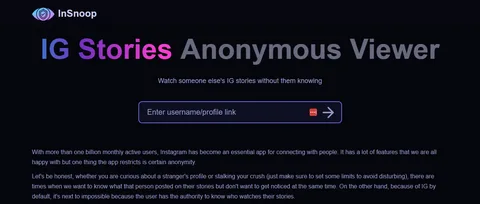
InSnoop is a free, browser based tool that lets you view public Instagram Stories and Highlights without logging into your own account. You simply open the website, type in a username or paste a profile link, and the tool pulls up whatever stories are currently available for that public account.
There is no app to install, no sign up form, and no password required. That simplicity is a big part of why the tool has built such a large following among people who just want a quick way to check a story without opening the official Instagram app.
The idea behind InSnoop fits into a broader category known as anonymous Instagram story viewers. These tools exist because Instagram itself gives you no option to view a story quietly. Once you tap it while logged in, your username is recorded, and the account owner can see it whenever they check who viewed their story.
How InSnoop Claims to Work
To understand whether InSnoop is trustworthy, it helps to understand the mechanism it says it uses. InSnoop positions itself as a proxy service. Instead of your device requesting the story directly from Instagram, your request goes to InSnoop’s own servers first.
From there, InSnoop’s servers fetch the publicly available story content and display it back to you inside their interface. Because Instagram only sees a request coming from InSnoop’s system rather than from your personal account, your username theoretically never appears in the viewer list.
Think of it like asking a friend to check a public bulletin board on your behalf. The board might log who walked up to read it, but if your friend is the one physically looking and then describing it to you, your own name never enters that log. It is not a perfect comparison, but it captures the basic logic InSnoop relies on.
Why This Method Has Limits
This proxy approach only works because Instagram allows certain content to be publicly accessible without a login. That is the entire foundation of the tool. If an account is private, there is no public data for InSnoop, or any similar service, to retrieve.
This is worth repeating because it gets misunderstood constantly: no version of InSnoop, and no competing tool, can access private Instagram accounts. Anyone claiming otherwise is not being honest with you.
Is InSnoop Actually Safe to Use
This is the question most people really want answered, and the honest response is that it depends on what you mean by safe.
In terms of malware or viruses, InSnoop does not appear to install anything on your device, since it runs entirely in your browser. That already puts it ahead of shady mobile apps that request excessive permissions.
In terms of privacy and data handling, the picture is less reassuring. InSnoop does not publish a detailed privacy policy explaining what it logs, how long it retains data, or who owns and operates the service. When you use any online tool, your IP address, browser type, and general device information are typically visible to that tool’s servers, whether the site says so or not.
That means while your identity might be hidden from the Instagram account you are viewing, it is not necessarily hidden from InSnoop itself. You are essentially trusting an unknown third party with your browsing activity in exchange for a convenience Instagram does not officially offer.
Why Some Users Still Get Noticed
A number of people report that their username occasionally still shows up in a story’s viewer list, even after using InSnoop. There are a few realistic explanations for this.
- You may have been logged into Instagram in another browser tab or app on the same device at the time, and Instagram attributed the view to that active session.
- Instagram regularly updates its detection systems, and third party proxy tools do not always keep pace with those changes.
- Shared cookies or device fingerprinting can sometimes connect activity back to your account even when you believe you are browsing anonymously.
None of these tools, InSnoop included, can offer a guaranteed, permanent bypass of Instagram’s tracking. Instagram’s own engineering team actively works to close these gaps.
What InSnoop Can and Cannot Do

It helps to lay this out plainly so there is no confusion about the tool’s real capabilities.
What it can do:
- Let you view stories and highlights from public Instagram accounts without logging in.
- Work across desktops, tablets, and mobile browsers, since it does not require an app.
- Allow you to save or download certain photos and videos from stories you view.
What it cannot do:
- Access stories from private accounts under any circumstance.
- View Close Friends stories, which Instagram restricts to a hand picked list chosen by the account owner.
- Guarantee complete, permanent anonymity, since detection methods on Instagram’s side keep evolving.
- Provide customer support in any meaningful way if something goes wrong.
Common Problems Users Report
Beyond the privacy questions, reliability is the other issue that comes up again and again in reviews and forum discussions.
Server downtime is the most frequently mentioned complaint. A tool that worked perfectly one day can return a blank page or a “user not found” error the next. This happens because Instagram frequently adjusts its backend systems and anti scraping defenses, and free proxy tools are usually the first to break when that happens.
Ad heavy pages are another recurring frustration. Since InSnoop and similar tools are free to use, they typically rely on advertising to stay online, and some versions of the site load more ads than users expect.
Finally, there is the confusion around multiple domains. InSnoop related content appears under names like insnoop.com, insnoop.io, and even a browser extension hosted separately. This spread makes it harder for the average user to know which version is legitimate at any given time, and it increases the risk of landing on a copycat or lookalike site.
InSnoop vs Other Anonymous Story Viewers

InSnoop is far from the only tool in this space, and it is worth knowing how it compares to the alternatives before deciding whether to use it.
| Factor | InSnoop | Typical Alternatives |
|---|---|---|
| Login required | No | Usually no |
| Works on private accounts | No | No |
| Download option | Yes, for photos and videos | Varies by tool |
| Reliability | Inconsistent, prone to downtime | Similar, varies by tool |
| Privacy policy transparency | Limited | Generally limited across the category |
| Ad load | Moderate to heavy | Varies widely |
The takeaway here is that InSnoop is not uniquely risky compared to its competitors. Most tools in this category share the same fundamental limitations, since they all depend on the same publicly accessible Instagram data and none of them can offer a verified, audited privacy guarantee.
If reliability matters to you more than brand loyalty, it is worth keeping a second tool bookmarked as a backup, since no single proxy service stays online consistently forever.
Safer Ways to Browse Instagram Privately
If your main goal is simply to avoid being noticed while browsing, there are a couple of approaches that carry less uncertainty than a third party proxy tool.
Create a secondary Instagram account. Many people set up a second, low activity account with minimal personal information and use it purely for browsing public content. This keeps your primary identity separate, and it does not depend on any outside service handling your data.
Use Instagram’s own privacy settings wisely. If you are more concerned about protecting your own stories rather than viewing someone else’s, review who can see your content and consider limiting story visibility to close friends or followers you trust.
Be selective about which tools you trust. If you do choose to use a service like InSnoop, avoid entering any personal Instagram login details into it. A legitimate anonymous viewer should never ask for your password, and if one does, treat that as a serious warning sign.
Practical Tips Before You Try InSnoop
Before you open the site and start searching usernames, a few small habits can reduce your risk and improve your experience.
- Log out of Instagram on other tabs or devices first, since an active session elsewhere can undermine the anonymity you are trying to achieve.
- Stick to the main, verified domain rather than clicking random links from search results or social media posts claiming to be InSnoop.
- Avoid downloading and reposting content without the original poster’s permission, since that raises both ethical and copyright concerns.
- Expect occasional downtime, and do not assume an error message means your account has been flagged or banned.
- Never enter your Instagram username and password into the tool itself, since it should only ever need the target account’s public username.
Final Verdict
InSnoop does what it says on the surface. It lets you view public Instagram stories without logging in, and for many users, it works exactly as expected most of the time. The proxy based approach is a genuine, technically sound method for keeping your username out of a story’s viewer list.
Where it falls short is transparency. The lack of a clear privacy policy, uncertain ownership, and inconsistent uptime mean you are placing a fair amount of trust in a service that offers very little accountability in return. It is not necessarily dangerous, but it is not fully verified either.
If you decide to use InSnoop, treat it as a convenience tool rather than a guaranteed privacy solution. Keep your expectations realistic, avoid sharing any sensitive information, and consider a secondary account if long term, dependable anonymity matters more to you than a quick, one time check.
Frequently Asked Questions
Is InSnoop legal to use?
Using InSnoop to view publicly available Instagram content is not illegal in most places, but it does go against Instagram’s own terms of service, which discourage third party access methods like this.
Does InSnoop require me to log into Instagram?
No. InSnoop is designed specifically so that you do not need to log into your own Instagram account to use it, which is the core of how it keeps your identity hidden from the account you are viewing.
Can InSnoop view private Instagram accounts?
No. InSnoop, like every legitimate anonymous story viewer, can only retrieve content from public accounts. Private profiles remain completely inaccessible.
Why did InSnoop stop working suddenly?
This is usually caused by Instagram updating its backend systems or anti scraping protections, which temporarily breaks third party tools until they adjust. Waiting a few minutes or trying again later often resolves it.
Is there a safer alternative to InSnoop?
Creating a secondary Instagram account for browsing gives you more control and less dependency on a third party service, though it requires more setup than simply visiting a website.
