
If you have spent any time browsing gaming forums, marketplaces, or YouTube lately, you have probably come across the term modded 3DS. Maybe a friend showed off a console loaded with hundreds of games, or you spotted a listing online promising a fully modded 3DS ready to use out of the box. Either way, you are likely wondering what this actually means, whether it is safe, and if it is something worth trying yourself.
This guide breaks down everything you need to know about a modded 3DS in plain language. No confusing jargon, no assumptions that you already understand custom firmware or homebrew. By the end, you will understand what modding actually changes, how the process works, and what to consider whether you plan to buy one already modded or build your own from scratch.
What Does Modded 3DS Actually Mean
A modded 3DS is a Nintendo 3DS, 3DS XL, 2DS, New 3DS, or New 2DS XL that has had its software modified beyond what Nintendo originally allowed. This is done through something called custom firmware, often shortened to CFW.
Think of custom firmware as unlocking administrator level access on a computer. Your console still looks and feels like a 3DS. The screens, buttons, and shape have not changed. What is different is what the system is now capable of doing.
Once a 3DS has custom firmware installed, it can run homebrew applications, load games directly from an SD card, apply patches to existing games, and support features Nintendo never built into the retail firmware. This is the core idea behind any modded 3DS, whether it was modified by a hobbyist at home or by a professional modding service.
It is worth noting early on that modding a 3DS is different from jailbreaking a phone in one important way. Most 3DS modding methods today are reversible. If something goes wrong or you simply change your mind, the console can typically be restored to its original state without permanent damage.
How 3DS Modding Works Behind the Scenes
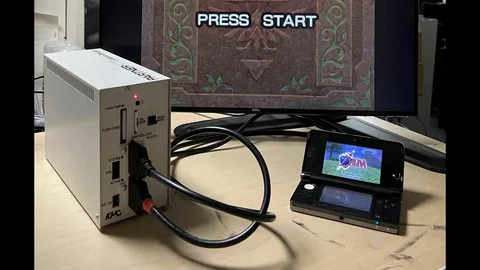
Understanding how a modded 3DS functions helps make sense of why the process takes the steps it does. There are three concepts worth knowing.
Custom Firmware and Luma3DS
The most widely used custom firmware for the 3DS family is called Luma3DS. It has become the community standard because it is stable, actively maintained, and compatible across every 3DS hardware revision released.
Luma3DS works by intercepting the console’s boot process and loading a modified version of the system software alongside the original. This allows the console to gain new abilities while still functioning normally for everyday use, including eShop access on many setups.
The Exploit Chain
To install custom firmware, you first need to find a software vulnerability, commonly called an exploit, that lets unsigned code run on the console. Nintendo did not intend for this to be possible, which is exactly why modders had to find creative entry points over the years.
Your console’s exact firmware version determines which exploit method applies to you. This is why any reliable modding guide asks you to check your system version before starting anything else.
EmuNAND and NAND Backups
Many setups use something called EmuNAND, which is essentially a virtual copy of your console’s original system stored separately. If a mod causes issues, you can fall back to this untouched copy rather than risking your actual system data.
Creating a NAND backup before modding is considered essential by almost every experienced member of the community. It acts as a safety net in case anything does not go as planned during installation.
Why People Choose to Mod Their 3DS
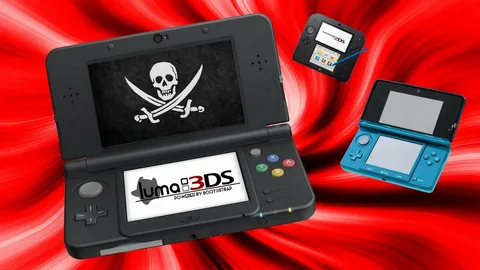
The reasons people pursue a modded 3DS vary, but a few motivations come up again and again.
- Preserving and backing up games they already own, especially titles that are becoming harder to find physically
- Running homebrew applications, including emulators for older retro consoles
- Playing region locked games without needing to buy a second console
- Applying fan translations or quality of life patches to existing titles
- Customizing the system’s appearance, themes, and menu layout
For many long time Nintendo fans, modding is less about avoiding a purchase and more about extending the life of hardware that Nintendo has officially discontinued. Since 3DS production ended years ago, a modded console often becomes a way to keep enjoying a beloved handheld well into the future.
Buying a Modded 3DS: What to Check First
Plenty of people would rather buy a modded 3DS that is ready to go instead of setting one up themselves. If that sounds like you, a few checks can save you from a disappointing purchase.
Ask What Firmware Was Installed
A trustworthy seller should clearly state that the console runs Luma3DS or a similarly recognized custom firmware. Vague answers or refusal to specify what was installed is a warning sign.
Confirm the SD Card Is Included and Properly Set Up
The modding itself typically relies on the SD card to store the modified system files and any games or homebrew apps. Make sure the listing includes a card, and ask about its size and what is preloaded on it.
Check the Physical Condition Separately From the Mod
A great mod does not fix a cracked hinge or a worn analog stick. Treat the hardware condition and the software setup as two separate things to evaluate before buying.
Ask About a Return Policy
Since software issues are not always obvious immediately, a seller who offers even a short return window shows more confidence in their work than one who does not.
Watch for Unrealistic Promises
If a listing claims thousands of games are preloaded for an extremely low price, treat it with some skepticism. Quality modding takes time, and pricing that seems too good to be true often reflects rushed or poorly tested work.
Building Your Own Modded 3DS: A Realistic Overview
If you are considering modding your own console rather than buying one already done, here is what the process generally looks like at a high level. This is not a full walkthrough, but it gives you a realistic sense of what is involved.
- Check your console’s current firmware version through the system settings menu
- Choose the exploit method that matches your specific model and firmware
- Format a microSD card, usually to FAT32, and prepare it with the required files
- Follow the exploit steps to gain the initial entry point needed to run unsigned code
- Create a NAND backup before installing anything permanent
- Install Luma3DS as your custom firmware
- Set up homebrew tools such as a title manager to install and organize your applications
Most people following a well documented guide can complete this process in about half an hour, though first timers should expect it to take longer simply from double checking each step. Rushing through firmware installation is one of the more common causes of avoidable mistakes.
If at any point you are unsure whether a step applies to your specific console model, it is worth pausing and confirming rather than guessing. The 3DS modding community has been active for over a decade, so most questions already have a documented answer somewhere in established forums or Discord communities dedicated to homebrew.
Is Modding a 3DS Legal and Safe
This is one of the most common concerns, and it deserves a straightforward answer rather than a vague one.
Modding your own console that you legally own is generally considered legal in most regions, since you are modifying hardware you purchased. Where things become murkier is downloading copies of games you do not own, which falls into piracy regardless of whether your console is modded.
Using a modded 3DS to create personal backups of games you already own, run original homebrew software, or play fan translated projects is widely viewed within the community as a reasonable use of custom firmware. Nintendo has not pursued legal action against individuals for personal modding in the way some assume, though it has taken steps against larger scale piracy operations.
As for safety, custom firmware installation carries a small risk if steps are skipped or a power interruption happens mid installation. This is exactly why NAND backups and following instructions carefully matter so much. Approached correctly, modding a 3DS is considered a low risk process today, especially compared to earlier years when methods were less refined.
Storage, SD Cards, and What You Actually Need

Storage questions come up constantly, and the answer depends on how you plan to use your modded 3DS.
A 32 gigabyte microSD card is generally the minimum recommended size, since custom firmware files themselves take up some space. If you plan to install a meaningful game library, 64 gigabytes offers noticeably more comfortable room without overspending on capacity you will never use.
Very large cards, such as those above 256 gigabytes, can occasionally cause compatibility hiccups with certain older tools, so sticking within the 64 to 128 gigabyte range tends to be the sweet spot for most users. Always format your card correctly before starting, since an improperly formatted card is a frequent source of setup errors.
Common Problems and How to Avoid Them
A few issues appear repeatedly among people setting up a modded 3DS for the first time.
Games that fail to launch are usually related to anti piracy checks built into specific titles rather than a broken installation. Compatibility patches exist for most of these cases and are typically included in updated homebrew tools.
System updates can sometimes interfere with custom firmware if automatic updates are left enabled. Most experienced users disable automatic system updates once modding is complete to avoid this entirely.
Confusion about apps like FBI, which is simply a homebrew title manager and has nothing to do with any government agency, trips up plenty of newcomers. Understanding what each homebrew tool actually does before using it prevents a lot of unnecessary worry.
Final Thoughts
A modded 3DS opens up genuine possibilities that the console never had out of the box, from running your own game backups to exploring homebrew applications built by a dedicated community. Whether you decide to buy one already set up or build it yourself, understanding what custom firmware actually does removes most of the mystery and hesitation around the process.
The key takeaways are simple. Confirm what firmware a modded console is running before buying one. If building your own, back up your NAND before anything else and follow a trusted guide step by step rather than rushing. And keep your expectations grounded in reality, since a properly modded 3DS is a stable, long term upgrade to a console many of us still love years after its original release.
Frequently Asked Questions
What does modding a 3DS actually change?
It installs custom firmware that unlocks features Nintendo did not originally allow, such as running homebrew apps, loading game backups from an SD card, and applying patches, without altering the console’s physical appearance.
Will a modded 3DS still work with the eShop?
Many setups still allow eShop access, though this depends on the specific configuration and how carefully system updates are managed afterward.
Is buying a modded 3DS better than modding one myself?
Buying saves time and effort if you find a trustworthy seller, while modding your own console gives you full control and understanding of the process. Neither option is inherently better, it depends on your comfort level with technical steps.
Can a modded 3DS be un modded later?
Yes, most modern modding methods are reversible, and the console can typically be restored to its original stock state if needed.
How much SD card storage do I actually need?
A 32 gigabyte card covers the basics, but 64 gigabytes is a more comfortable choice if you plan to build a larger game and homebrew library over time.
