


If you run a business in Ohio, chances are you have heard the term Ohio Business Gateway more than once. Maybe a colleague mentioned it, maybe your accountant told you to use it, or maybe you searched for it because you need to file a tax return and were not sure where to begin. Whatever brought you here, this guide will walk you through everything you need to know about the Ohio Business Gateway, from what it actually is to how you register, log in, and file your first transaction.
The Ohio Business Gateway, often shortened to OBG, is the state’s official online portal for handling business filings, tax payments, and regulatory tasks. It was built to save Ohio businesses time and reduce the paperwork headaches that come with dealing with multiple government agencies separately. Instead of visiting a dozen different websites or mailing paper forms to different departments, you can manage most of it from one place.
This article goes beyond the basic overview you will find on the official pages. We will cover the registration process step by step, explain how login and account security work, break down exactly what you can file through the Gateway, and answer the practical questions business owners actually ask.
What Is the Ohio Business Gateway
The Ohio Business Gateway is a centralized digital platform created through a partnership between state and local government agencies. Its purpose is simple: give Ohio businesses one login and one dashboard to handle filings and payments that would otherwise require separate accounts with separate agencies.
Before the Gateway existed, a small business owner might need to file sales tax with the Department of Taxation, unemployment compensation reports with the Department of Job and Family Services, and municipal income tax with a local city office, all through different systems with different usernames and passwords. The Gateway consolidates that experience.
Today it serves as a hub for tax filings, workers compensation reporting, unemployment insurance, and a growing list of municipal tax partnerships. It is part of Ohio’s broader digital government strategy, which also includes the OH ID login system used across several state services.
Who Should Use the Ohio Business Gateway

The short answer is almost any business operating in Ohio. That includes sole proprietors, LLCs, corporations, partnerships, and nonprofit organizations that have tax or regulatory obligations to the state.
You will find the Gateway especially useful if you are:
- A new business owner setting up your first state tax accounts
- An established company that wants to move away from paper filings
- An accountant, bookkeeper, or tax preparer managing filings for multiple clients
- A payroll administrator responsible for unemployment compensation reporting
- A business with employees or operations in Ohio municipalities that participate in Gateway filing
Even if your business is small and your filing obligations are limited, using the Gateway usually saves time compared with mailing paper forms or navigating separate agency websites.
What You Can File and Pay Through the Gateway
One of the most common points of confusion is exactly what services live inside the Gateway. Here is a practical breakdown of what most businesses use it for.
Tax Filings
The Gateway handles several state level business taxes, including sales and use tax, commercial activity tax, and employer withholding tax. Many businesses set up recurring filing schedules once their account is configured.
Unemployment Compensation
Employers use the Gateway to report quarterly wage detail and pay unemployment insurance contributions to the Ohio Department of Job and Family Services.
Workers Compensation Reporting
Certain workers compensation related transactions can be submitted through the portal as well, depending on your business classification and reporting requirements.
Municipal Income Tax
This is a feature many business owners do not realize exists until they need it. The Gateway partners with a number of Ohio municipalities, allowing businesses to file and pay local income tax alongside their state filings instead of dealing with each city separately.
Bulk Filing
Larger businesses or accounting firms that need to submit filings for multiple accounts at once can use the bulk filing feature, which allows batch uploads rather than manual entry for each transaction.
How to Register for an Ohio Business Gateway Account
Setting up your account is straightforward once you understand the sequence. Here is the process from start to finish.
- Visit the Gateway website. Go to the official Ohio Business Gateway site and select the option for users who have never created an account before.
- Create your OH ID. Since the Gateway uses the state’s unified OH ID login system, you will be asked to build a profile with your name, email address, and a secure password. If you already have an OH ID from another Ohio state service, you can use that same login instead of creating a new one.
- Review and accept the terms. You will be shown the account creation statements and terms of service. Read through them, check the agreement box, and continue.
- Choose a password recovery method. This step matters more than people expect. You can select security questions, an email based recovery option, or a text message code, and choosing more than one method gives you a backup in case one option fails later.
- Verify your identity. A temporary PIN will be sent to you by email or text. Enter that code to confirm the recovery method you selected.
- Create your Gateway business account. Once your OH ID is verified, you will be directed back to the Gateway to set up your actual business profile, including your Federal Employer Identification Number and other identifying details for your company.
- Link your tax accounts. Depending on your business type, you may need to add specific tax account numbers so the Gateway knows which filings apply to you.
The whole process typically takes fifteen to twenty minutes if you have your business information ready ahead of time. Keep your FEIN, business address, and any existing state tax account numbers nearby before you start.
How to Log In to the Ohio Business Gateway
Once your account exists, logging in is simple. Head to the Gateway website and select the login option. Enter your OH ID username and password, and if you have two step verification enabled, you will confirm your identity with a code sent to your phone or email.
If you already use OH ID for another Ohio government service, such as unemployment benefits or a professional license portal, you do not need a separate Gateway login. The same credentials work across the OH ID ecosystem, which is one of the more convenient design choices behind the platform.
Understanding OH ID and Account Security
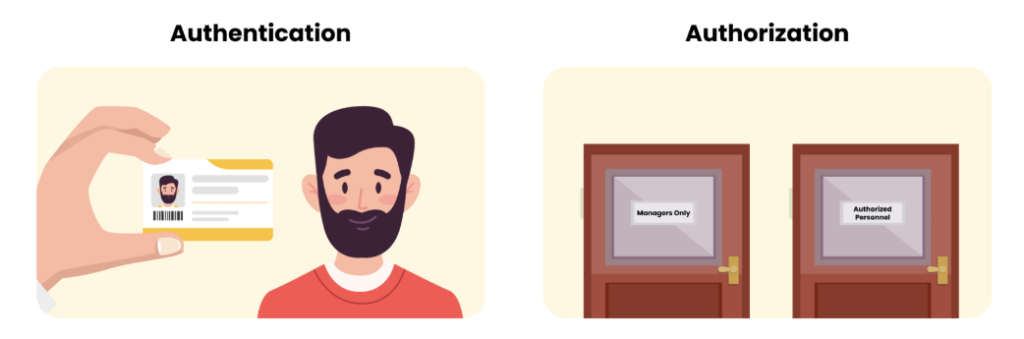
OH ID is the identity layer behind the Ohio Business Gateway and several other state digital services. Rather than each department maintaining its own separate login system, Ohio consolidated authentication into this single sign on structure.
This matters for a few reasons. First, it means your Gateway credentials are protected by the same security standards used across other sensitive state systems. Second, it simplifies password management since you are not juggling multiple usernames for different agencies. Third, it allows the state to roll out security improvements, like enhanced two step verification, across all connected services at once rather than one at a time.
If you already had a Gateway account before OH ID was introduced, your existing login was migrated automatically, and you do not need to create a new profile from scratch.
Filing Administrators and Third Party Access
Not every business owner files their own taxes. Many rely on accountants, bookkeepers, or third party administrators, often referred to as TPAs, to manage filings on their behalf.
The Gateway supports this through a filing administrator structure. A business owner can grant a designated administrator access to specific accounts and transaction types without handing over full control of the business profile. This is particularly useful for CPA firms managing dozens of client accounts, since it allows them to work within a single professional login rather than switching between individual client credentials.
Recent platform updates have specifically targeted this feature, simplifying how filing administrators are assigned and how their permissions are managed, which has made life noticeably easier for accounting professionals handling multiple Ohio clients.
Common Login and Account Problems
Even a well built system runs into user issues from time to time. Here are the problems businesses run into most often, along with practical fixes.
Forgotten password or locked account. Use the password recovery option you set up during registration. If you only chose one recovery method and it is no longer accessible, such as an old phone number, you will need to contact Gateway support directly to verify your identity manually.
Browser compatibility issues. The Gateway generally performs best on current versions of major browsers like Chrome, Edge, and Firefox. If pages are not loading correctly or buttons are unresponsive, clearing your browser cache or switching browsers usually resolves it.
Confusion between OH ID and Gateway account. Some users mistakenly think their OH ID and their business tax account are the same thing. OH ID is your login credential, while your Gateway business account is where your actual filings and tax accounts live. You need both, but they serve different purposes.
Missing tax accounts after registration. If a tax type you expected to see is not showing up, it usually means that specific account was not linked during setup. You can typically add it through the account management section without starting registration over.
Two step verification not arriving. If your verification code by text or email is delayed, check that your contact information is current in your OH ID profile, since outdated details are the most common cause.
Ohio Business Gateway vs OH TAX eServices
Business owners sometimes get these two systems mixed up, so it is worth clarifying the difference.
The Ohio Business Gateway is designed primarily for business filings, including sales tax, employer withholding, unemployment compensation, and municipal tax partnerships. OH TAX eServices, on the other hand, is the Department of Taxation’s platform used more broadly for individual and business tax account management, payment history, and correspondence with the department.
In practice, many businesses end up using both. The Gateway handles the transactional filing side, while OH TAX eServices is often used to review account history, respond to notices, or manage broader taxpayer records. If you are unsure which one you need for a specific task, checking with your accountant or the Department of Taxation help line can save you time.
Tips for Managing Multiple Business Accounts
If you own more than one business entity, or if you are an accountant managing several clients, a few habits make the Gateway significantly easier to use.
- Keep a secure record of which FEIN and tax account numbers belong to which entity, since mixing them up during filing is a common and avoidable mistake.
- Use the bulk filing feature if you regularly submit the same transaction type across multiple accounts.
- Set calendar reminders for filing deadlines rather than relying on the Gateway to notify you, since due dates vary by tax type and filing frequency.
- Review filing administrator permissions periodically, especially after an employee or contractor relationship changes, to make sure access stays current.
Recent Updates to the Gateway Platform
Ohio has continued to invest in improving the Gateway experience. In late 2025, the state rolled out enhancements to filing administrator functions, making it simpler to assign and manage permissions for staff and third party preparers. Shortly after, a user access enhancement for existing accounts went live, streamlining how established users manage their login and permissions without needing to rebuild their profile.
More recently, a Municipal Profile Portal was introduced, giving municipal administrators the ability to update their city or village’s profile information directly within the Gateway rather than working through a separate manual process. These updates reflect a broader trend of the state gradually modernizing the platform based on feedback from both individual filers and municipal partners.
Final Thoughts
The Ohio Business Gateway is one of the more useful tools available to businesses operating in the state, but it only delivers real value once you understand how to set it up and use it properly. Registration is quick if you have your business details ready, login is secured through the OH ID system shared across other state services, and the range of filings available covers most of what a typical Ohio business needs to stay compliant.
Whether you are a first time business owner filing your very first sales tax return or an accountant managing filing administrator access for a dozen clients, the Gateway is built to reduce the friction of dealing with multiple agencies separately. Take the time to set your account up correctly, choose a solid password recovery method, and keep your tax account numbers organized, and the day to day experience of using the Ohio Business Gateway becomes far simpler than most first time users expect.
Frequently Asked Questions
Is the Ohio Business Gateway free to use?
Yes, creating and using a Gateway account does not cost anything. You are only responsible for the actual taxes or fees associated with the filings you submit.
Do I need a separate login for each business I own?
No. You can typically manage multiple business accounts under a single OH ID login, as long as each business is properly linked to your Gateway profile.
Can my accountant file on my behalf through the Gateway?
Yes. You can assign your accountant or bookkeeper as a filing administrator, which gives them access to submit filings without needing full control of your business account.
What should I do if I forget my OH ID password?
Use the password recovery method you selected during account setup, such as security questions or a verification code sent by email or text. If that method is no longer available to you, contact Gateway support for manual identity verification.
Does the Ohio Business Gateway handle municipal income tax for every city in Ohio?
Not every municipality participates. The Gateway partners with a growing number of Ohio cities and villages, so you should confirm whether your specific municipality is included before assuming it can be filed through the portal.
